College-Prep Java Programming
University-level high school Java, broken into 4 core units — from syntax fundamentals through object-oriented design.
44 items
3 levels deep
Download template
No subscriptions. No accounts. No ads. No distractions. Break big goals into deeply nested steps — and watch progress roll up automatically from every small task to the big picture.
Free to use, with an optional one-time strivu+ upgrade for iCloud sync and bigger goals.

Free · No account · No subscription · iOS 16+
What strivu does
Most trackers stop at simple lists. strivu lets you build nested goals with automatic progress roll-up — so large ambitions always feel manageable.
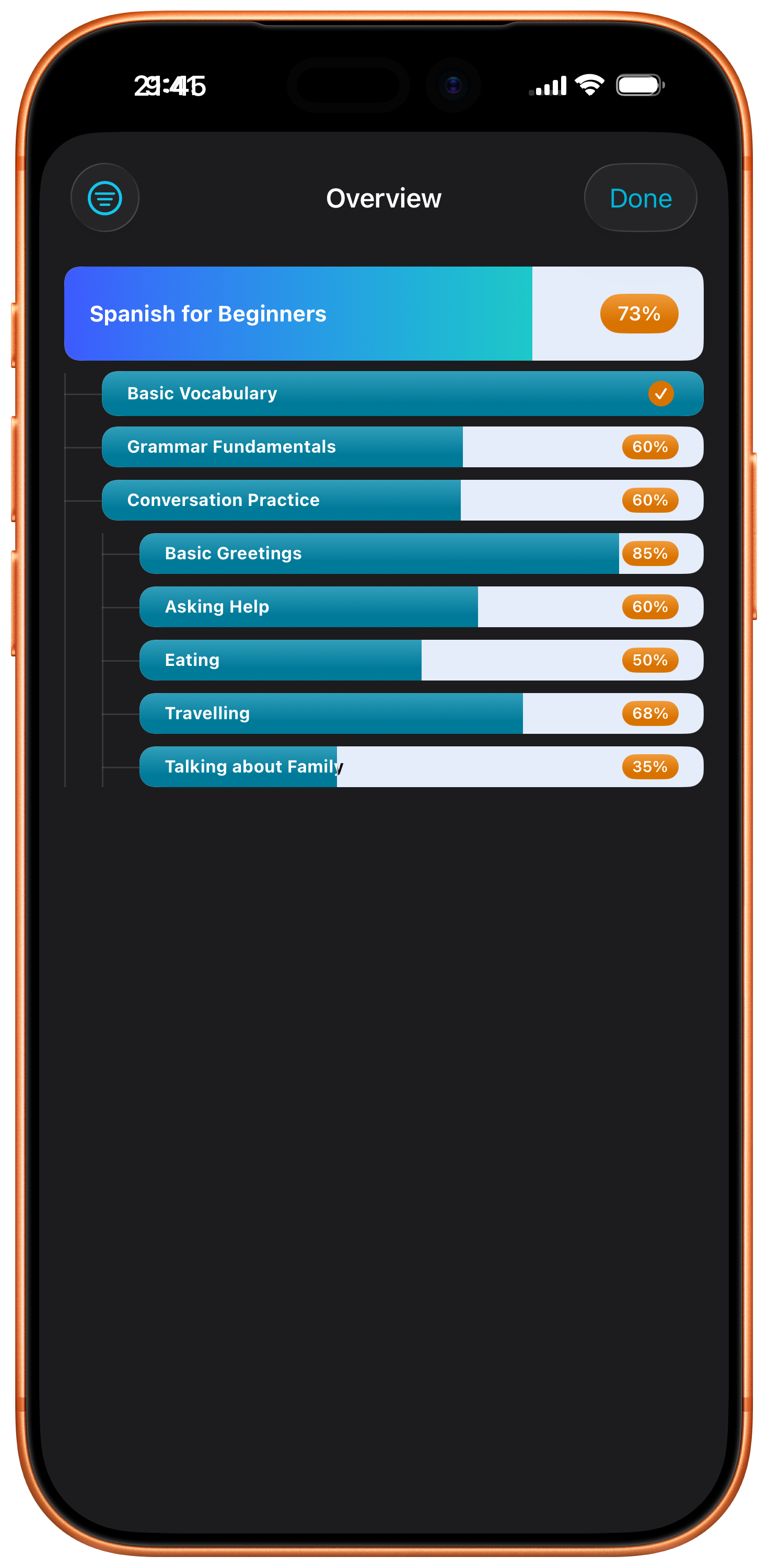
Break any goal into sub-items, and those into sub-items too. Build structured, multi-level plans that match how your work actually fits together.
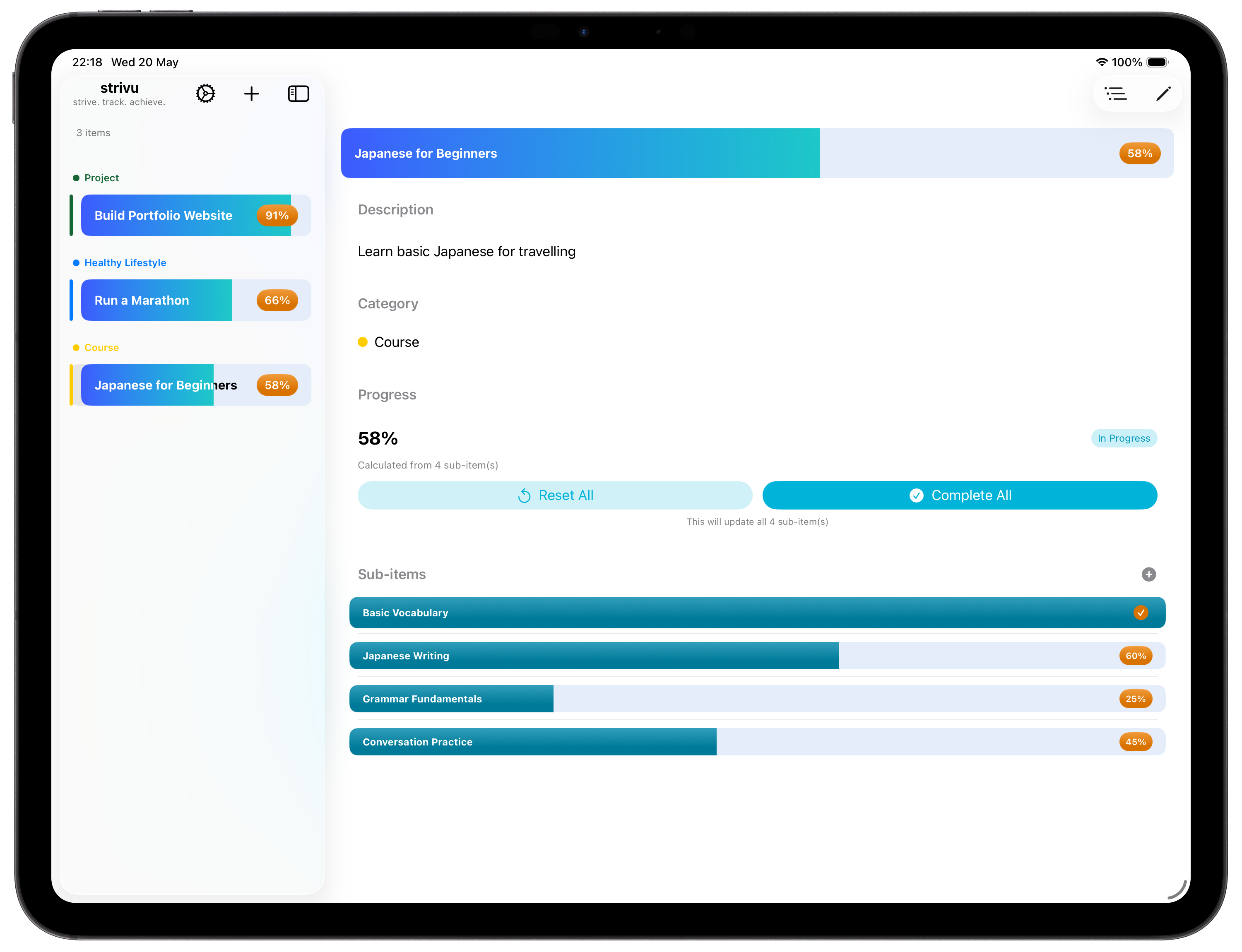
Progress flows upward automatically. Complete a small step and watch it ripple through every parent item to the top.
See your entire goal tree at a glance — every nested sub-item and its progress in one scrollable, filterable view.
Group goals into categories like Study, Work, Personal, or Fitness. Multiple goals, zero clutter.
Attach due dates to any item. Overdue tasks are visually flagged so important deadlines never slip by unnoticed.
A clean full-screen experience on iPhone and an efficient sidebar layout on iPad, with drag-and-drop reordering.
No account required. All your data lives on your device — and stays there unless you opt into iCloud sync.
Export your data to a portable .strivu file and import it back any time. Move between devices, archive snapshots, or recover after a fresh install.
Keep your goals in sync across your iPhone and iPad. Your data, your iCloud — never our servers.
Simple to start
No lengthy onboarding. No complex setup. Just open strivu and start building momentum.
Grab strivu from the App Store and open it. No account, no setup — you're ready to go immediately.
Create a goal, project, or course. Break it down with nested sub-items — up to several levels deep — to match how your work fits together.
Update progress on any step and watch it flow automatically up through your entire structure to the top-level goal.
Template library
Free, ready-made goal trees for syllabi, exams, and projects. Download a .strivut file on your iPhone or iPad, tap it, and the whole structure lands in strivu — nested sub-items and all.
University-level high school Java, broken into 4 core units — from syntax fundamentals through object-oriented design.
Exam prep across 4 focus areas — listening, reading, writing, and speaking — with practice drills nested under each.
University-level economics in 4 blocks, covering microeconomics, macroeconomics, and global interactions.
The Singapore PSLE Mathematics paper, aligned to the MOE 2021 syllabus as updated for the 2026 cohort.
Ship a side project end to end — validating the idea, building it, launch day, and post-launch growth.
Leadership development across 4 pillars: people, execution, strategy, and professional integration.
Tap Download template on your iPhone or iPad — the .strivut file saves to Files.
Open the file and it launches straight into strivu, ready to import.
Templates carry structure only — every item starts at 0%, so the progress is all yours.
A single in-app purchase — no subscription, ever. Pay once and unlock the limits forever.
Your goals stay in sync across all your Apple devices. Data lives in your private iCloud — never our servers.
Track as many goals, projects, and sub-items as you need — no caps on totals or top-level items.
Break things down up to 8 levels deep instead of 3 — for syllabi, complex projects, or long-running plans.
Organise your items your way, with no limit on how many categories you can create.
Launch price for early supporters. Available as an in-app purchase from the strivu Settings screen.
Get the app
Free on the App Store. No account, no subscription. Works on iPhone and iPad with iOS 16 and above.
Already installed? Browse the template library →
Last updated: 31 May 2026
strivu ("we", "our", or "us") is committed to protecting your privacy. This policy explains how strivu handles your data. The short version: strivu has no accounts, no sign-up, and no servers that hold your content. Your data lives on your device, and — if you choose — in your own private iCloud.
strivu does not have user accounts. You do not sign up, log in, or provide an email address to use the app. We do not collect, store, or transmit any personally identifying information about you.
We do not collect any personal data from you. strivu does not include analytics, tracking, advertising identifiers, or third-party SDKs that profile users. The app does not phone home.
All your categories, items, progress, and due dates are stored locally on your device using Apple's on-device database (SwiftData). We never see this data and have no way to access it.
If you purchase strivu+ and enable iCloud sync, your data is synced through your own private iCloud account using Apple's CloudKit. It is stored in your personal iCloud container — not on our servers. Apple's iCloud encrypts data in transit and at rest. We have no access to your iCloud data at any point.
strivu lets you export and import two kinds of files: .strivu backups (a full snapshot of your data, including progress and dates) and .strivut templates (the structure of a tree of items only — no progress, no dates, no category assignments). Both are created and stored by you, through the system share sheet, the Files app, or wherever you choose to save them. We do not receive a copy.
When you save a template, strivu also offers optional fields for an author name and tags. Anything you type into these fields is embedded in the .strivut file itself, so it travels with the template if you share it. Leave them blank if you don't want them included.
The optional strivu+ upgrade is a one-time in-app purchase processed entirely by Apple via the App Store. Apple handles payment, receipts, and entitlement validation. We do not see your payment details or Apple ID.
strivu uses no other third-party services. There is no analytics provider, no crash-reporting service, no advertising network.
Because strivu does not collect any personal data, it does not collect data from children either. The app is suitable for all ages.
You can delete any item, category, or all of your data at any time from within the app. Deleting the app from your device removes its local database. If you have iCloud sync enabled, you can also remove strivu's data from iCloud via the iOS Settings app (Apple ID → iCloud → Manage Account Storage).
We may update this policy from time to time. The "Last updated" date at the top will reflect any changes. Significant changes will also be noted via the app.
Questions about privacy? Reach us at hello@strivu.app.